COMING SOON
Count Every Stall From a Satellite Photo
- 95% accurate stall count from any address in under two minutes
- Easily adjust stalls and add ADA, arrows, and other markings
- Get your total job price in seconds
Receive occasional updates on progress and be notified when we launch.Join 142+ contractors on the list
How It Works
1
Capture
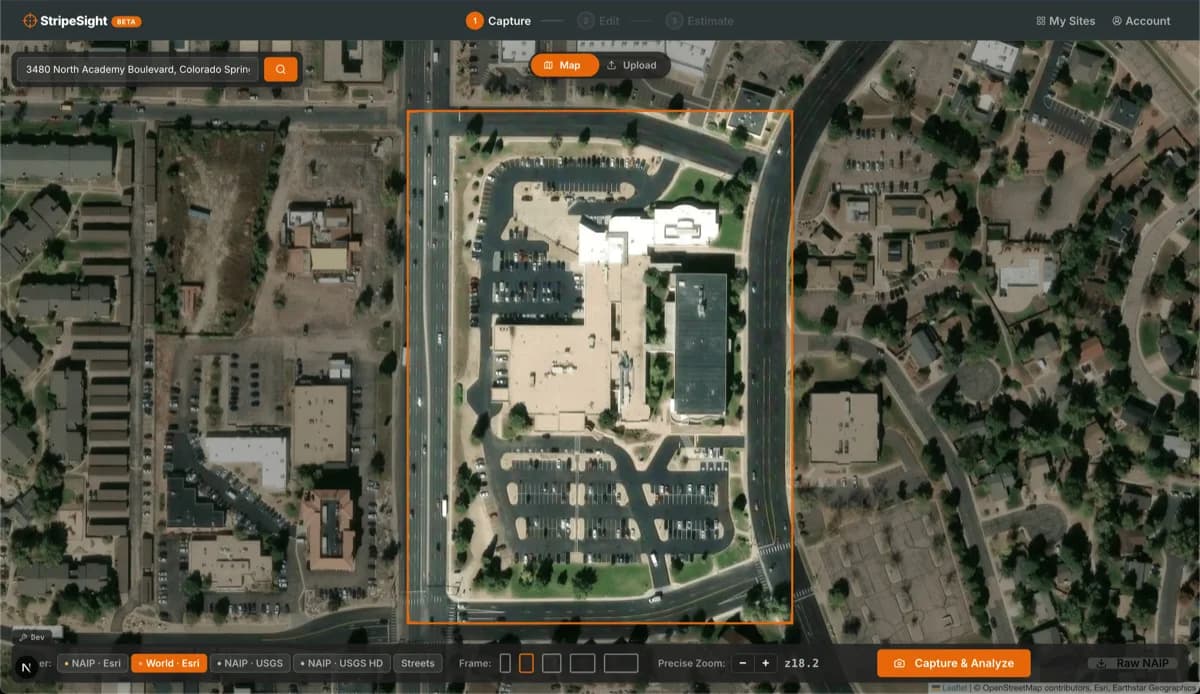
Enter an address, frame the lot, and click Analyze. StripeSight detects and counts the stalls automatically.
2
Review
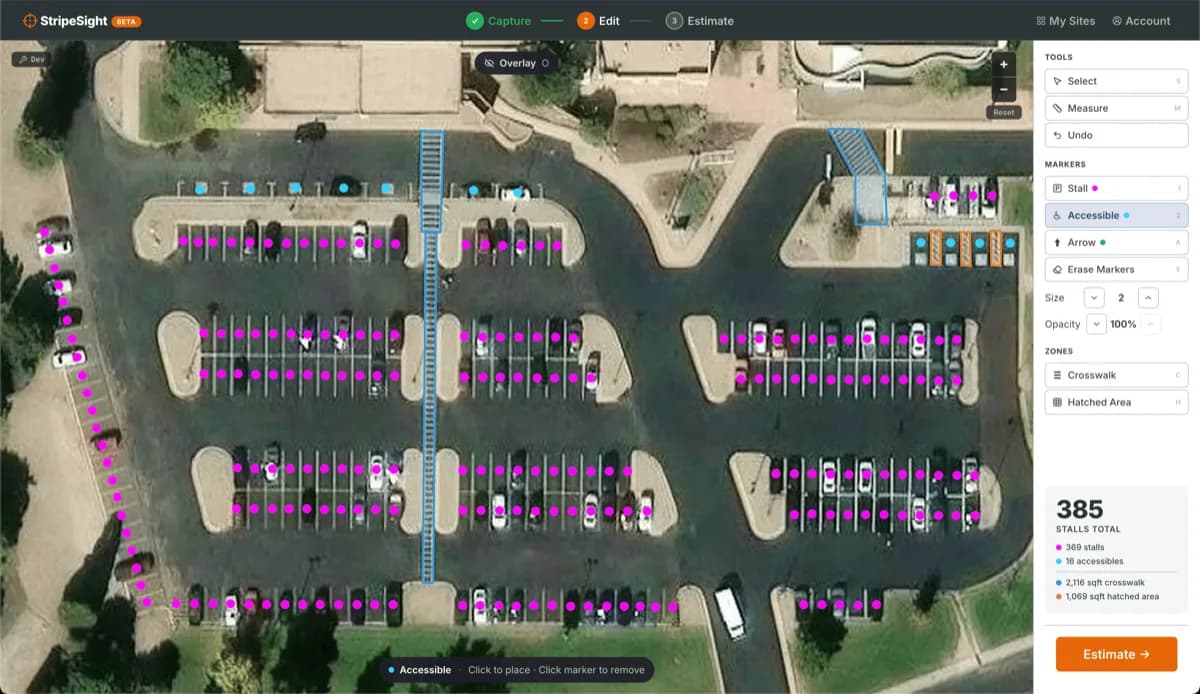
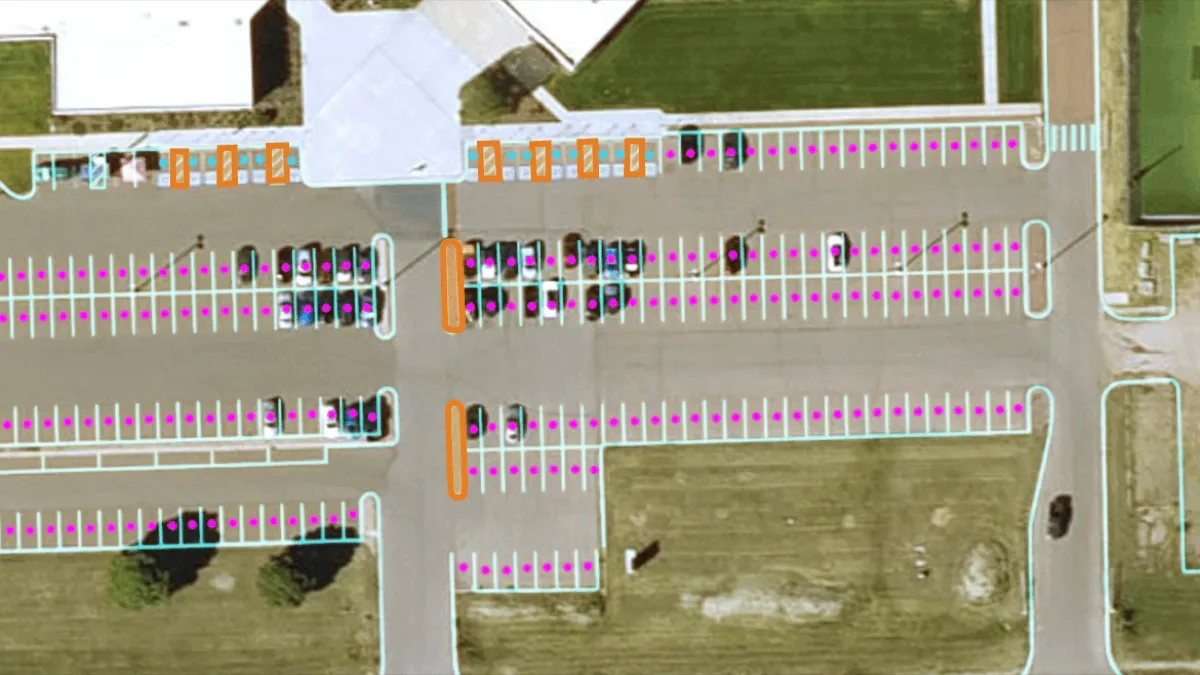
Add or remove stalls with a tap. Mark hatched areas and crosswalks to calculate square footage.
3
Estimate
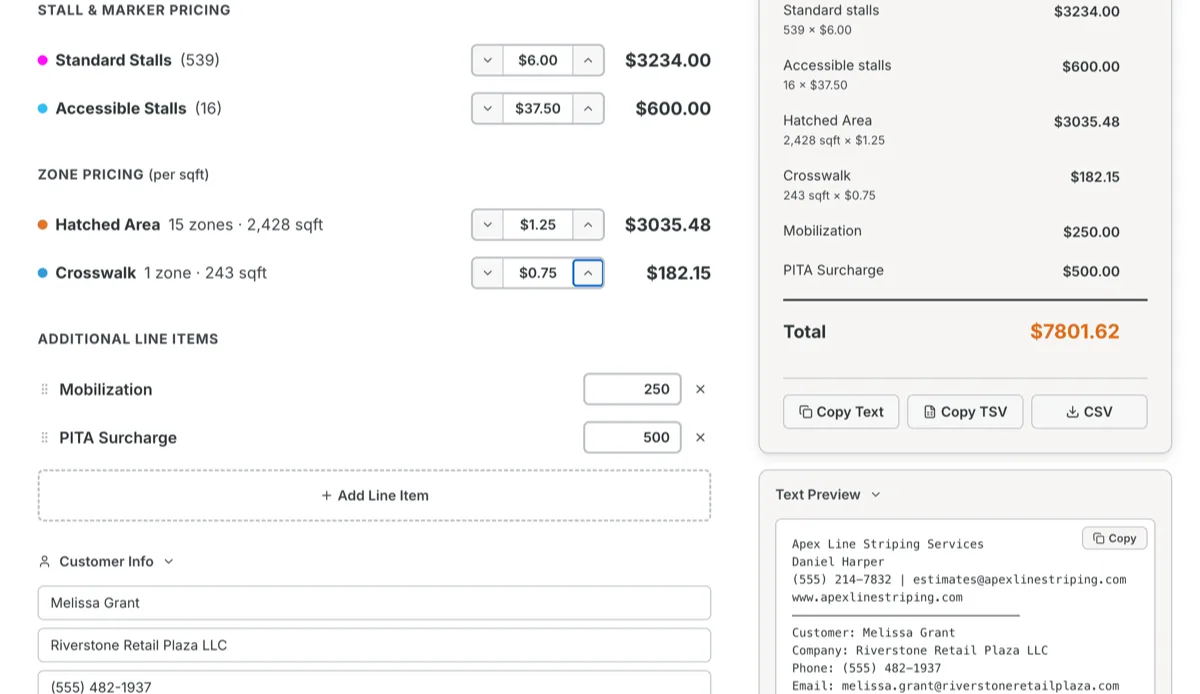
Set your rates once. View a full breakdown for total job price instantly.
See It In Action
From satellite capture to finished estimate — all in your browser.
1
Capture
Navigate to any address and frame the parking lot for analysis.
2
Review & Refine
AI detects every stall. Add, remove, or adjust with a click.
3
Estimate
Get your total job price instantly with a full line-item breakdown.